 Miya Bholat
July 18, 2025
How to Streamline DOT Compliance: A Practical Guide to Automating Inspections, HOS, and Documentation
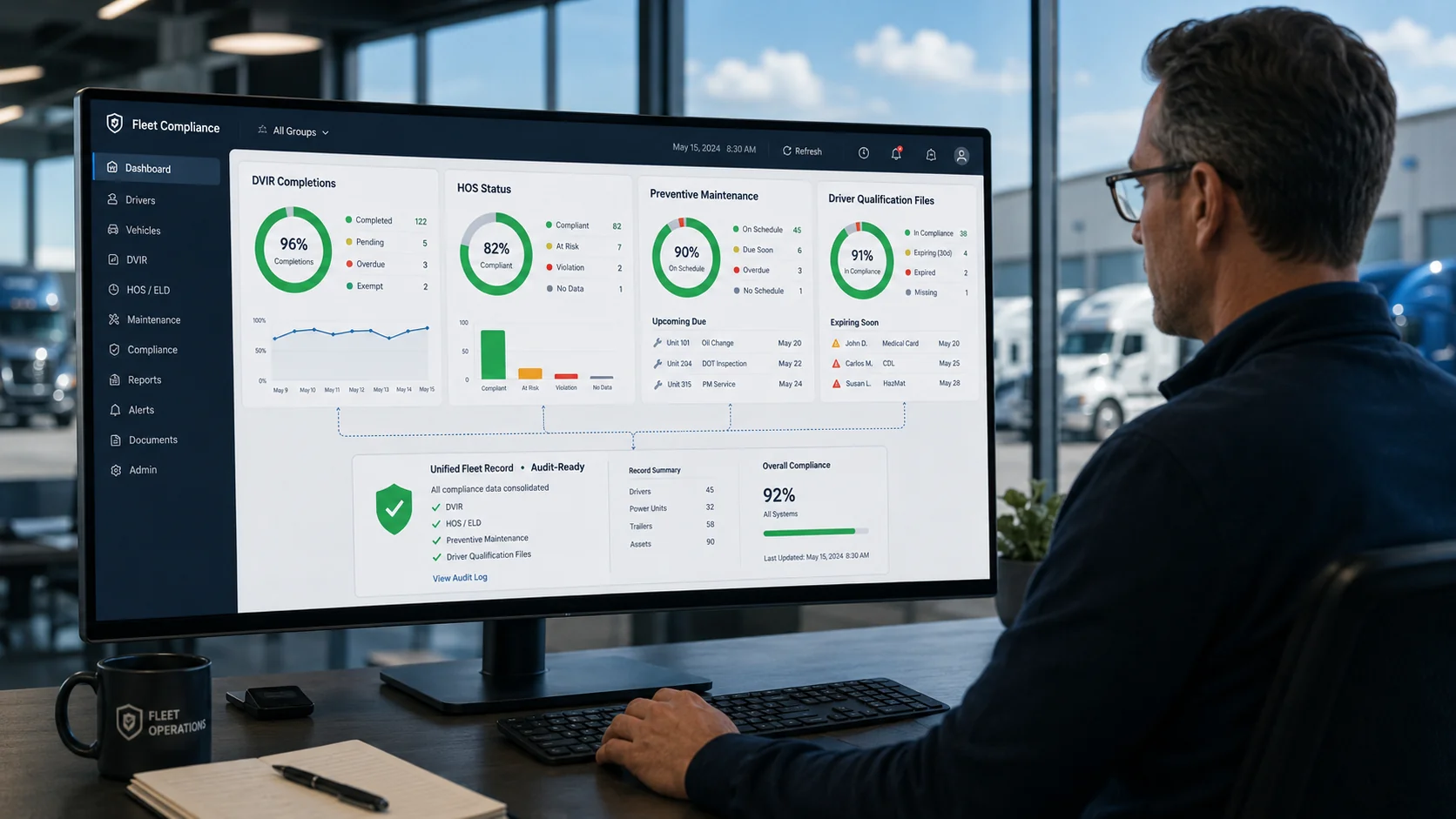
To streamline DOT compliance, fleets move four core compliance workflows from paper to digital systems: daily vehicle inspection reports (DVIRs), Hours of Service (HOS) tracking, vehicle maintenance records, and driver qualification (DQ) files. Each workflow has specific automation patterns that reduce manual error, surface compliance issues before they become violations, and create the audit-ready documentation that DOT inspectors expect during roadside encounters and formal audits.
For fleet managers, the goal is not just digitization for its own sake. It is converting compliance from a reactive scramble into a predictable operational habit that scales with the fleet without scaling the administrative burden. This guide covers what it means to streamline DOT compliance, the four core areas where digitization makes the biggest difference, the specific automation workflows that move the needle in each area, and how to choose tools that actually support compliance rather than create more dashboards to monitor. It also connects to the broader fleet safety and compliance framework that ties together driver, vehicle, and regulatory readiness.
Key Takeaways
- Streamlined DOT Compliance Is Workflow Design, Not Just Software Purchasing. The biggest gains come from redesigning paper-based workflows around digital capture, not from buying a single tool.
- Four Compliance Areas Drive Most DOT Risk. Daily vehicle inspection reports, Hours of Service tracking, vehicle maintenance records, and driver qualification files are where violations and audit findings concentrate.
- DVIRs Are the Most Common Roadside Compliance Point. Digital DVIR workflows reduce missed inspections, capture defects with photos, and surface repeat issues across drivers and vehicles.
- HOS Tracking Requires ELDs Plus Operational Alerts. ELDs handle the legal logging requirement, but proactive alerts and dispatcher visibility prevent the violations before they happen.
- Maintenance Records Are the Quiet Audit Risk. Most fleets pass roadside inspections but fail audits because maintenance documentation cannot be produced quickly enough to demonstrate consistent practice.
- Driver Qualification Files Cannot Be Patched Together at Audit Time. DQ files must stay continuously updated. Auditors specifically look for systematic gaps that indicate poor process discipline.
What Does It Mean to Streamline DOT Compliance?
Streamlining DOT compliance means reducing the manual effort, error rate, and documentation gaps in the workflows that DOT enforcement evaluates. The goal is to make compliance the default outcome of normal operations rather than a separate effort that requires constant attention.
A streamlined DOT compliance system typically includes:
- Digital capture at the point of activity (DVIRs completed on a phone, HOS logged via ELD, maintenance work documented at the bay)
- Centralized records that any authorized user can retrieve in seconds
- Automated alerts and reminders that prevent missed inspections, expired credentials, and approaching HOS limits
- Reporting and dashboards that surface compliance patterns across the fleet
- Audit-ready documentation trails that can be exported on demand
The opposite, paper-based or fragmented digital systems where data lives in multiple tools that do not talk to each other, creates the conditions for the most common DOT violations: missed DVIRs, expired medical certificates buried in driver folders, maintenance gaps between scheduled services, and HOS violations from poor dispatcher visibility.
The Four Core Areas of DOT Compliance
DOT compliance covers many specific requirements, but four operational areas account for most violations and most audit findings:
- Daily Vehicle Inspection Reports (DVIRs). Pre-trip and post-trip vehicle condition documentation completed by drivers and reviewed by maintenance.
- Hours of Service (HOS) Tracking. Ensuring drivers stay within 11-hour driving and 14-hour on-duty limits, with proper rest and break documentation.
- Vehicle Maintenance Records. Documentation of inspections, repairs, preventive maintenance, and corrective actions for every vehicle.
- Driver Qualification (DQ) Files. Current CDL, medical certificate, employment verification, road test records, MVR pulls, and annual reviews per driver.
Each area has distinct workflow requirements and distinct automation patterns. The sections that follow cover each one in detail.
How to Streamline DVIR Workflows
DVIRs are the most frequent compliance touchpoint. Drivers complete them daily. Officers verify them during roadside inspections. Auditors trace them backwards through months of activity. They are also the area where paper-based fleets lose the most time and create the most risk.
A streamlined DVIR workflow looks like this:
- Step 1: Standardize the inspection items per vehicle type. Different vehicles (tractors, straight trucks, vans, trailers) require different inspection items. Digital DVIR tools support customized checklists per vehicle type that present the right items to the driver automatically.
- Step 2: Capture defects with photos and severity tags. A digital DVIR captures not just whether a defect exists but what it looks like, where it is on the vehicle, and how severe it appears. Photo evidence accelerates downstream maintenance decisions and protects the fleet in liability disputes.
- Step 3: Route defects to maintenance automatically. When a driver flags a defect, the system should generate a work order or maintenance task without manager intervention. Manual handoffs are where defects fall through the cracks.
- Step 4: Track DVIR completion rates by driver and vehicle. A streamlined system surfaces drivers who routinely skip inspections and vehicles with repeat defects. Both patterns indicate compliance risk and should trigger coaching or maintenance review.
- Step 5: Retain DVIRs for FMCSA-required periods. DVIRs with defects must be retained for at least 3 months. Audit-ready systems store this automatically.
Tools like a digital vehicle inspection app integrate these steps into a single workflow that drivers complete in minutes rather than the 15+ minutes a paper-based inspection often takes.
DVIRs are typically the first documents verified during a Level 3 DOT inspection, where officers focus on driver documentation and observable vehicle condition. For a complete walkthrough of what inspectors look for during DOT audits, a fleet inspection checklist for DOT audits covers every checkpoint in detail.
How to Automate HOS Tracking
Hours of Service tracking has been digitized at the basic level since the ELD mandate took effect. Every interstate commercial driver must use a registered ELD to record driving and on-duty time. But ELDs alone do not prevent violations. They just record them after the fact.
Streamlined HOS workflows go beyond the ELD:
- Real-time dispatcher visibility. Dispatchers should see each driver's remaining drive time and on-duty hours before they assign loads. ELD data feeding into a dispatch dashboard prevents the most common HOS violation, which is assigning loads that cannot be completed within available hours.
- Predictive alerts at hour thresholds. Alerts at the 10-hour, 13-hour, and 14-hour marks give drivers and dispatchers time to plan stops, swaps, or relays before the clock expires.
- Integration with HOS rule changes. The 14-hour rule for truck drivers and the split sleeper berth provision both have specific mechanics that drivers and dispatchers need to understand. Software should reflect current FMCSA rules accurately, including the 2020 sleeper berth update.
- Exception documentation. When drivers use the adverse driving conditions exception or split sleeper berth provision, the documentation has to be precise. Modern ELDs capture this automatically. Paper logs make it nearly impossible.
- Pattern review. Weekly HOS data review identifies drivers who routinely approach the 14-hour limit, suggesting scheduling or routing issues that go beyond individual driver behavior.
When violations do occur despite these workflows, understanding what happens when a DOT violation is issued and how it flows through the FMCSA system helps fleets manage the downstream impact on CSA scores and operating authority.
How to Digitize Maintenance and Inspection Records
Maintenance records are the area where most fleets pass roadside inspections but lose during audits. Roadside officers check the vehicle in front of them. Auditors check the documentation trail backwards across months.
Streamlined maintenance documentation includes:
- Service history per vehicle. Every inspection, repair, fluid change, tire replacement, and corrective action documented against the specific vehicle and date. Vehicle service history tools store this for the full life of the vehicle.
- Preventive maintenance schedules with automated reminders. Manufacturer-recommended service intervals plus fleet-specific schedules (DOT inspection cycle, ELD device checks) feed reminders so nothing slips past the due date. Fleet preventive maintenance schedules automate the cadence so dispatchers do not track it manually.
- Defect-to-repair trail. Every DVIR-reported defect should connect to a work order, completion confirmation, and parts/labor record. This is the single most-reviewed documentation chain during audits.
- Retention period compliance. Different records have different retention requirements. Maintenance records must be retained for specific durations to meet FMCSA documentation standards.
- Audit-ready export. Auditors expect the documentation to be producible. A streamlined system exports a defect, the corresponding work order, the repair record, and verification of completion in a single bundle.
How to Build a Driver Qualification File System That Stays Audit-Ready
Driver Qualification (DQ) files contain documentation required by FMCSA for each driver: CDL, medical examiner's certificate, employment application, road test certificate, annual review, motor vehicle record, and various other items depending on the operation type. The volume of required documentation per driver is significant, and most violations come from documentation that expired without being noticed.
A streamlined DQ file workflow includes:
- A centralized digital storage location per driver, not a paper folder in a filing cabinet
- Automated expiration alerts for medical certificates, CDL endorsements, and annual reviews
- Standardized intake checklists for new drivers so no required document is missed
- Annual MVR pulls scheduled and tracked
- Audit-ready export for the entire DQ file in a single click
Fleet user and driver management tools combine these functions into one workflow tied to each driver record.
A common failure pattern: fleets pass roadside inspections for years, then fail a focused FMCSA audit because the auditor finds DQ files with gaps. Continuous DQ file maintenance, not pre-audit scrambling, is the only sustainable approach.
For carriers wanting to stay ahead of audit risk, preparing for a DOT fleet audit covers the broader audit preparation strategy and helps fleets identify documentation gaps before enforcement does.
Choosing Tools That Support Compliance Workflows
Most compliance tool decisions fail because fleets buy tools without first defining the workflows the tools need to support. A better approach: define the workflow, then evaluate tools against the workflow requirements.
When evaluating compliance tools, fleet managers should ask:
- Does the tool integrate with our existing dispatch and maintenance systems, or will it create another data silo?
- Can drivers complete the workflow on a mobile device without extensive training?
- Does the tool surface the patterns that drive compliance risk (missed DVIRs, recurring defects, approaching HOS limits, expiring credentials) automatically?
- Can the tool produce audit-ready exports without manual data assembly?
- Does the vendor support ELD compliance, FMCSA documentation requirements, and FMCSA rule changes (such as the 2020 sleeper berth update)?
The single biggest decision factor is not feature count. It is whether the tool reduces or increases the daily friction for drivers and dispatchers. Tools that add steps without reducing existing burden typically end up under-used.
A structured fleet compliance approach combines the right tools with documented workflows, ongoing training, and audit-ready documentation discipline. Fleets that treat compliance as a continuous operational habit consistently outperform fleets that scramble before each audit.
Frequently Asked Questions
-
What does it mean to streamline DOT compliance?
Streamlining DOT compliance means reducing the manual effort, error rate, and documentation gaps in the workflows that DOT enforcement evaluates. It typically involves digitizing four core compliance areas: daily vehicle inspection reports (DVIRs), Hours of Service tracking, vehicle maintenance records, and driver qualification files. The goal is to make compliance the default outcome of normal operations rather than a separate effort that requires constant attention. -
How can companies automate vehicle inspection reports for DOT compliance?
Companies automate vehicle inspection reports by replacing paper DVIRs with mobile DVIR apps that present standardized checklists, capture defects with photos, route defects directly to maintenance work orders, and store completed inspections in a searchable database. Automated workflows also surface drivers who skip inspections and vehicles with repeat defects, both of which indicate compliance risk that needs investigation. -
What are the four core areas of DOT compliance for commercial fleets?
The four core areas of DOT compliance for commercial fleets are daily vehicle inspection reports (DVIRs), Hours of Service (HOS) tracking, vehicle maintenance records, and driver qualification (DQ) files. Each area has specific FMCSA documentation requirements, distinct workflow patterns, and different retention periods. Most DOT violations and audit findings concentrate in these four areas. -
What is the difference between paper-based and digital DOT compliance workflows?
Paper-based DOT compliance workflows rely on physical forms, filing cabinets, and manual data transfer between systems. Digital workflows capture data at the point of activity (DVIRs on a phone, HOS via ELD, maintenance work in a service app), centralize records in searchable databases, automate reminders for upcoming requirements, and produce audit-ready exports on demand. Paper-based systems create more violations through missed inspections, lost records, and expired credentials that go unnoticed. -
How do you choose a vehicle inspection system that improves DOT compliance?
To choose a vehicle inspection system that improves DOT compliance, evaluate tools against the workflows they need to support rather than against feature lists. Key criteria include mobile usability for drivers, defect-to-maintenance routing, integration with existing dispatch and maintenance systems, audit-ready export capability, and vendor support for FMCSA rule changes. The biggest decision factor is whether the tool reduces daily friction for drivers and dispatchers. Tools that add steps without removing burden typically end up under-used.